Head-to-head test
BLUETTI Apex 300 + B500K vs Jackery Explorer 500
Real-world runtimes, scenario verdicts, and ownership costs compared — which wins for your use case.
Full profiles: BLUETTI Apex 300 + B500K → · Jackery Explorer 500 →

Written by Gunner GustafsonUpdated
Whole-Home Backup Tester, Station Arena Test Desk
Spec deltas
The BLUETTI Apex 300 + B500K (7,885Wh) and Jackery Explorer 500 (518Wh) sit in different weight classes. The real question: do your power needs justify the larger unit, or would you be overpaying for capacity that sits unused? These two aren't alternatives to each other. The Apex 300 + B500K holds 15× the energy and costs 9× as much, so this comes down to the load you need to cover rather than which unit is better. If the Explorer 500 carries your load, the Apex 300 + B500K is capacity you pay for and never use; if it doesn't, no amount of saving makes the Explorer 500 the answer.
What the spec gap means in practice: the Apex 300 + B500K's 3,840W inverter has the headroom for a window AC, a full-size fridge, and power tools. The Explorer 500's 500W inverter can't run the heaviest of those — a window AC or a high-surge power tool needs more than it can hold, whatever its 1,000W surge ceiling does at the instant of startup. On stamina, the Apex 300 + B500K keeps a fridge alive for roughly 45 hours vs the Explorer 500's 3 hours. The cost? Portability. At 183 lbs, the Apex 300 + B500K is spread across boxes you site once and leave. The Explorer 500 at 13.3 lbs is something one person can actually carry.
Pick the Apex 300 + B500K if your primary use is 8-hour blackout or remote workday. Go with the Explorer 500 if its specific strengths below line up better with your use. Keep scrolling for the full breakdown. The scenario verdicts below hold a few surprises.
Bench Notes
What each unit does well, where it falls short, and the trade-offs that matter.
BLUETTI Apex 300 + B500K
With a massive 3,840W output, the Apex 300 + B500K can run high-wattage appliances like space heaters, hair dryers, and electric grills without tripping. Weighing in at 183 lbs, this is not a unit you want to carry far. It's best suited as a stationary backup or RV companion. A standout feature is the value proposition: at roughly $0.42 per watt-hour, it's one of the most cost-effective options on the market.
Strengths
- +Larger battery capacity
- +Higher AC output
- +Longer warranty
- +Faster solar charging
- +Rated for 6,000 charge cycles — much longer battery lifespan
Trade-offs
- –Significantly heavier (+169.7 lbs), making it harder to move.
- –Very heavy unit that may be difficult for one person to lift.
Jackery Explorer 500
At 500W, this unit is strictly for personal electronics (phones, laptops) and small CPAP machines. Do not expect to run kitchen appliances. At only 13.3 lbs, it is exceptionally portable. You can easily carry it one-handed to a campsite or tailgating party.
Strengths
- +Lighter by 169.7 lb
Trade-offs
- –Weaker inverter (-3,340W) limits appliance compatibility.
- –Lacks smartphone app control for remote monitoring.
- –Sealed capacity — the Apex 300 + B500K can add batteries to grow past 518Wh; this one can't.
- –Shorter-lived battery — rated for 800 charge cycles vs the Apex 300 + B500K's 6,000, so it wears out sooner.
Will It Power Your Gear?
Scenario math and per-appliance runtimes, modeled from the spec record.
Scenario verdicts
We ran the math on six real-world scenarios. Here's which unit survives your actual life.
SCN-01 · 2 nights · needs 2,100Wh
Weekend Camping
Two nights off-grid with essential comfort
Neither unit
Neither gives you a powered weekend: the Apex 300 + B500K has the energy but doesn't travel, and the Explorer 500 covers about 21% of the 2,100Wh. One can't go; the other can't finish.
Battery budget usedlower = more headroom
LOAD Phone Charger 15W×6h · LED Lights 40W×8h · Box Fan 75W×14h · CPAP Machine 40W×16h
SCN-02 · 8 hours · needs 1,645Wh
8-Hour Blackout
Keep the essentials running through a night without power
Apex 300 + B500K
The Explorer 500 doesn't finish — 440Wh usable against the 1,645Wh this needs leaves it 1,205Wh short, about 27% of the scenario covered. The Apex 300 + B500K covers it with 5,057Wh to spare.
Battery budget usedlower = more headroom
LOAD Fridge 150W×8h · Router + Modem 20W×8h · LED Lights (4 bulbs) 40W×6h · Phone Charger 15W×3h
SCN-03 · 8 hours · needs 320Wh
CPAP Overnight
Sleep therapy without interruption — the #1 medical use case
Either unit
A CPAP is about 40W for eight hours, so both cover the night, though not twice: the Explorer 500 gets through it with 120Wh to spare. The only published difference is fan noise, and it can't settle this: the Explorer 500 is rated 37dB and the Apex 300 + B500K 45dB, but they are two makers' figures, each measured its own way. Neither settles which box is quieter at a bedside. Only the Apex 300 + B500K is still sold, so a new purchase here is just the Apex 300 + B500K; the Explorer 500 is a used-market question.
Battery budget usedlower = more headroom
LOAD CPAP Machine 40W×8h
SCN-04 · 8 hours · needs 910Wh
Remote Workday
Full work day off-grid without power anxiety
Apex 300 + B500K
The Explorer 500 doesn't finish — 440Wh usable against the 910Wh this needs leaves it 470Wh short, about 48% of the scenario covered. The Apex 300 + B500K covers it with 5,792Wh to spare.
Battery budget usedlower = more headroom
LOAD Laptop 60W×8h · External Monitor 30W×8h · Router + Modem 20W×8h · Phone Charger 15W×2h
SCN-05 · 4 hours · needs 670Wh
Tailgate Party
Game day power for the crew
Neither unit
Neither gives you a powered game day: the Apex 300 + B500K has the energy but doesn't travel, and the Explorer 500 covers about 66% of the 670Wh. One can't go; the other can't finish.
Battery budget usedlower = more headroom
LOAD Blender 400W×0.5h · LED TV (55") 80W×4h · Bluetooth Speaker 15W×4h · Phone Charger (×3) 45W×2h
SCN-06 · 24 hours · needs 4,685Wh
Van Life Daily
A full day of mobile living — the ultimate endurance test
Apex 300 + B500K
The Explorer 500 doesn't finish — 440Wh usable against the 4,685Wh this needs leaves it 4,245Wh short, about 9% of the scenario covered. The Apex 300 + B500K covers it with 2,017Wh to spare.
Battery budget usedlower = more headroom
LOAD Mini-Fridge 150W×24h · Laptop 60W×4h · Phone Charger 15W×3h · LED Lights 40W×5h · Fan 75W×8h
The Load Test
RUNTIME = (Wh × 0.85) ÷ LOAD
None of the scenarios above exactly yours? Build it. Toggle what you'd plug in; both units are tested against the combined draw.
Essentials
Comfort & Convenience
High-Draw Appliances
Test duration
8h
Continuous draw
205W
Projected runtime
For this load: Apex 300 + B500K runs 32.7h vs 2.1h.
$3,299 list · direct from BLUETTI
Planning for more than this? Describe your whole setup and get it sized →
Modeled from the spec record — same math as the tables below. Methodology
Runtime by appliance
Real-world runtime estimates for common appliances, modeled at 85% inverter efficiency.¹
Essentials
The basics you need runningscale 0–446.8hComfort & Convenience
Makes off-grid life actually enjoyablescale 0–89.4hHigh-Draw Appliances
These reveal the real limitsscale 0–6.7h¹ Runtime = (capacity × 0.85) ÷ appliance watts. Within each group, all bars share one time scale (the group's longest runtime), so lengths are comparable across appliances; identical runtimes collapse into a single blue/orange bar. Actual runtime varies with battery age, temperature, and simultaneous loads — see methodology.
Conclusion
July 10, 2026
Verdict: the Apex 300 + B500K, on Power Score margin
These two units are closely matched on individual specs, but our Power Score analysis gives the Apex 300 + B500K the edge with a composite score of 7,342 vs 1,459.
Overall score margin: 7,342 vs 1,459 (+403.2%)
List prices as of July 10, 2026. The links below open BLUETTI's current price.
$3,299.00 · direct from BLUETTI
Last checked 16 days ago. Prices move — check before you buy.
Written by Gunner Gustafson, Whole-Home Backup Tester · Station Arena Test Desk · Updated July 10, 2026
Black Friday · 38 days out
Price to beat:Apex 300 + B500K $3,299
We have never seen it discounted, so any real cut would be a first.
Measured Data
Benchmark scores and the full spec record, side by side.
Benchmark scores
Not rated for both units (minimum threshold unmet): Home Backup, Food Truck, Apartment Balcony, Camping.
Full specifications
ᵈ Derived: price ÷ rated capacity. See the data behind our comparisons →
Comparison ToolAdd more power stations, side by sideOpen Tool →How these numbers are produced
Numeric verification
Every figure on this page traces to our spec database or arithmetic on it — no estimated numbers.
Owner claims
Statements about owner experience are cited to published reviews.
Runtime model
Runtime = (rated capacity × 0.85 inverter efficiency) ÷ device wattage. Solar recharge estimates assume panels deliver 70% of rated output. Cold weather, battery age, and stacked loads reduce real-world results.
Power Score
Computed from 14 published spec dimensions, weighted per use-case bench. Higher is better; a unit must meet a bench's minimum threshold to be rated.
See the full weight table and data sourcing on our methodology page →Class ranking (the star rating)
Each unit's star score is a category ranking, not customer reviews — no buyer opinions feed it. We score every station on size-independent quality (value, output, portability, endurance, ports, warranty, and more), then percentile-rank it against the other units in its capacity class, so a class-leading compact unit and a class-leading whole-home unit can both earn 5★. Here, Apex 300 + B500K rates 3.5/5 (11th percentile of 29 Whole-Home / Off-Grid-class units), and Explorer 500 rates 3.3/5 (1st percentile of 20 Compact-class units).
How the class ranking is computed →Test Notes & Caveats
Hidden gotchas and advantages we spotted that you won't find on the product page.
Apex 300 + B500K: 183 lbs Is a Commitment
At 183 lbs across its boxes, no one piece is the whole problem — but this is hardware you site, not hardware you carry. Once it's set up, you won't want to move it. It's a semi-permanent appliance. Pick your spot.
Apex 300 + B500K: 45dB Published
45dB is about as loud as a running refrigerator. The Explorer 500 is rated 37dB — lower, but published by a different maker measuring its own way, so the two figures are not a like-for-like gap. For most people, fan noise around 45dB and up is where sleep starts to suffer.
Explorer 500: Solar Recharge Takes 5.2h+
At its 100W rated solar ceiling, refilling the full 518Wh takes about 5.2 hours of sun — as a floor, since the rated figure assumes ideal panel angle and clear sky, and real days deliver less. Not practical as the primary charge source for daily off-grid use; treat solar as a top-up and plan on a wall outlet or generator.
Explorer 500: No App Control
Without app control, you have to physically walk to the Explorer 500 to check battery level, adjust settings, or monitor power draw. The Apex 300 + B500K lets you do all that from your phone, including getting low-battery alerts.
Explorer 500: Fixed Capacity
The Explorer 500 is sealed at 518Wh — fine if that covers you, but it's the ceiling. By contrast the Apex 300 + B500K can add expansion batteries, though the first thing it has over the Explorer 500 is its own 7,885Wh base — expansion is the step after that, for the buyer who would outgrow 7,885Wh as well.
Apex 300 + B500K: Power Lifting to 7,680W
The Apex 300 + B500K has BLUETTI's Power Lifting mode, which runs a resistive appliance rated up to 7,680W from its 3,840W inverter. It does that by delivering less power than the appliance asks for, not more than the inverter has: the heater still works, it just heats more slowly. Two things follow. BLUETTI scopes the mode to purely resistive loads — a heater, a kettle, an incandescent lamp — so it does nothing for a fridge compressor, a pump or a power tool, and this record publishes no surge figure at all, so read the mode as a resistive-load feature rather than as starting ability. And it is not a reason to size down, because running a load that big from 7,885Wh is a short session either way. Genuinely useful if a heater or a kettle is why you're buying; beside the point otherwise. The Explorer 500 publishes no equivalent.
Only the Apex 300 + B500K Lists a UPS Mode
The Apex 300 + B500K can sit between the wall and your gear and hand it to battery when the grid drops — rated ≤10ms — quick enough on paper that desktop PCs and routers should ride through, treating that as the rating it is. Worth it for a router, a desktop PC, or a CPAP. The Explorer 500's spec sheet lists no UPS mode, so anything plugged into it rides an outage only as far as your reaction time.
Warranty: 5 Years vs 2
The Apex 300 + B500K is covered for 5 years against the Explorer 500's 2 years. The Apex 300 + B500K's figure is a maximum rather than a guarantee — it depends on buying direct from BLUETTI or registering the unit, since reseller purchases carry a shorter term. An underrated factor if you're keeping this unit for years.
Battery Lifespan in Real Years
The Apex 300 + B500K is rated for 6,000 cycles vs 800. In real life: at daily use, that's 16.4 vs 2.2 years. At weekend use (twice a week), it's 58 vs 8 years. One caution reading years across different sizes: a cycle is 7,885Wh on the Apex 300 + B500K and 518Wh on the Explorer 500, so count lifetime energy — roughly 47,309 kWh against 414 kWh over the rated life. After hitting the cycle limit, the battery doesn't die — it drops to ~80% of original capacity, which is still very usable.
Full record above — the Test Desk pick is the Apex 300 + B500K.
Check Apex 300 + B500K price →Ownership Analysis
What happens after you buy — true cost of ownership, brand trust, and growth potential.
Lifetime value
Service lifeyears at one full cycle per day
Lifetime energy delivered
Cost per delivered kWh
│ warranty ends · Reaching the cycle rating means ~80% capacity remains — degraded, not dead.
Analyst note
The Explorer 500 is no longer sold, so there is no price to work its cost per kWh from, and this comparison doesn't quote one. On what you can actually buy today, the Apex 300 + B500K works out at $0.07/kWh over its rated life. If you already own the Explorer 500, the hardware comparison still holds: over its rated life the Apex 300 + B500K delivers about 47,309 kWh and the Explorer 500 about 414 kWh.
Brand trust
BLUETTI
Ecosystem
One of the broadest lineups — 15-20+ models from budget (AC2A) to flagship portable (Apex 300, 2764.8Wh). Includes specialized products: vehicle solar hubs, sodium-ion cold-weather units, and balcony storage systems.
Support
The most inconsistent support in the space. Heavily email-based with China timezone delays. Some users get smooth, efficient service; others report weeks of troubleshooting runarounds, being offered discounts on new units instead of repairs, and confusing third-party purchase claim processes. Buying direct from Bluetti's website tends to produce better support outcomes.
Community
Active and growing — Reddit r/bluetti has a dedicated community. Second-largest after EcoFlow in engagement.
App experience
Rated 4.5/5 iOS and Android — tied for best app experience in the category. V3.0 UI redesign was well-received.
Unique strength
Among the best capacity-to-price ratios available — several Elite and Apex units are the lowest $/Wh in the catalog. Widest product diversity including industry-firsts like sodium-ion cold-weather units and dual solar+alternator vehicle hubs. LFP across the rest of the range, though rated cycle life spans 2,500 (EB3A) to 6,000, and it varies WITHIN the Elite range rather than tracking it — the Elite 300 and Elite 200 V2 are rated 6,000 while the Elite 30 V2, Elite 10 Mini, Elite 320 and Elite 400 are rated 3,000+ and the Elite 100 V2 4,000+, so check the specific model. Dual-voltage (120V/240V) in flagships.
Worth knowing
Customer support inconsistency is the #1 risk factor. Older/discontinued units may become unrepairable — no spare parts policy for some models. Some reports of erratic communication from support agents.
Jackery
Ecosystem
12-15+ models across Explorer (portable) and HomePower (home backup) series, plus SolarSaga panel ecosystem and innovative form factors
Support
US-based support but widely criticized. Reddit reports describe slow/dismissive responses, scripted AI agents, strict receipt requirements for warranty claims, and refurbished replacements for clearly defective units. Strongly recommended: buy from Costco or Amazon for return protection.
Community
Smallest community of the major brands — Reddit r/Jackery has ~2,000 members. YouTube presence is solid due to brand recognition.
App experience
Rated 2.3-3.3/5 iOS and Android — the weakest app experience of the major brands. Multiple confusing apps (Jackery app vs Jackery Home) and mandatory login even offline.
Unique strength
Highest brand recognition and widest retail distribution (Costco, Home Depot, Best Buy, Amazon). The "Toyota" of power stations — dependable, proven, wide availability. Innovative form factors like the Solar Gazebo and Solar Mars Bot.
Worth knowing
A couple of older models still ship NMC chemistry with a shorter rated lifespan, so check the cycle rating on the specific unit — though most of the current line has moved to LFP. Generally perceived as overpriced for the specs offered compared to newer competitors. App experience is significantly behind rivals.
Analyst note
Jackery positions itself as a mid brand with stronger support infrastructure, while BLUETTI competes on value. The question is whether the Jackery ecosystem and support premium is worth it for your use case.
Growth path
Apex 300 + B500K
EXPANDABLESupports BLUETTI expansion batteries, so you can add capacity later without replacing the base unit — useful if your needs may climb past 7,885Wh.
Accepts up to 2,400W of solar. Enough for a serious multi-panel array.
Limited ports. You'll likely need a power strip or splitter.
Expansion batteries are BLUETTI-specific. You're investing in the BLUETTI ecosystem.
Explorer 500
FIXED CAPACITYFixed at 518Wh, with no expansion — so size it for your needs up front rather than planning to add capacity later.
Accepts up to 100W of solar. Limited to a single portable panel.
Limited ports. You'll likely need a power strip or splitter.
Realistic full solar rechargeat 70% of rated panel output — see methodology
Analyst note
Growth only counts if you can still buy in, and the Explorer 500 is no longer sold (Jackery points owners to the HomePower 1000 v2). That leaves the Apex 300 + B500K: it starts at 7,885Wh and takes BLUETTI expansion batteries, so the ceiling moves if your needs do. The Explorer 500's fixed 518Wh still matters if you already own one, but it isn't a reason to pick it over the Apex 300 + B500K.
The Bottom Line
The full picture comes down to this. The Apex 300 + B500K edges ahead on our overall analysis, but the margin is narrow enough that your specific use case should drive the decision. Review the scenario verdicts above — if the Explorer 500 wins in the scenarios that match your life, it's the right choice regardless of aggregate scores.
If neither the Apex 300 + B500K nor the Explorer 500 feels like the right fit, your power needs probably sit outside what these two target. Use our comparison tool above to explore alternatives that better match your specific wattage and runtime requirements. Prices on portable power stations fluctuate frequently. Both BLUETTI and Jackery discount regularly, so check the current price before committing. Prime Day and Black Friday pricing typically drops 20-30%.
Frequently Asked Questions
Answers drawn from the spec record and cited owner research.
How does the 7,366.8Wh capacity difference actually affect daily use?
The Apex 300 + B500K's 7,884.8Wh battery keeps a mini-fridge running for roughly 45 hours vs the Explorer 500's 3 hours. Where it really matters: during an 8-hour blackout running your fridge, router, lights, AND charging your phone simultaneously (about 1,645Wh total), the Apex 300 + B500K handles it while the Explorer 500 runs dry. What specs don't mention: runtime drops 20-30% in cold weather (below 32°F/0°C) as battery chemistry slows down. The Apex 300 + B500K's extra capacity provides a critical cold-weather buffer. For occasional phone and laptop charging, both are overkill. This gap only matters for sustained, multi-appliance use.
Can I actually carry the Apex 300 + B500K, or is the Explorer 500 the only portable option?
The Explorer 500 at 13.3 lbs is genuinely grab-and-go. Toss it in a backpack, carry it one-handed to a picnic, take it on a boat. The Apex 300 + B500K at 183 lbs is a different story. It's like carrying a large suitcase full of books. If you're setting up and breaking down camp frequently, this weight difference will exhaust you by day two.
How fast can each unit recharge from solar panels in real conditions?
On paper, the Apex 300 + B500K accepts 2,400W vs the Explorer 500's 100W of solar input. What the spec sheet won't tell you: solar panels typically deliver only 60-80% of their rated output due to panel angle, cloud cover, and temperature. In realistic conditions, expect full recharge in about 4.7 hours for the Apex 300 + B500K and 7.4 hours for the Explorer 500. That gap widens on cloudy days, when the Apex 300 + B500K's higher input ceiling captures more of whatever sunlight is available. One more thing: summer gives you ~7 productive solar hours per day. Winter drops to ~4. If solar is your primary recharge method, the Apex 300 + B500K's advantage is substantial.
"6,000 vs 800 cycles" — what does that actually mean for me?
In real years: the Apex 300 + B500K (6,000 cycles) lasts 16.4 years at daily use, 58 years at weekend use (twice a week), or 250 years at twice-monthly camping trips. The Explorer 500 (800 cycles): 2.2 years daily, 8 years weekends, or 33 years twice-monthly. What most people miss: hitting the cycle limit doesn't kill your battery. Capacity drops to about 80%. Your 7,884.8Wh unit becomes a ~6,308Wh unit. Still very usable. For weekend users, both batteries will outlast the warranty by years.
Can I use the Apex 300 + B500K as a home UPS to protect my electronics during blackouts?
Yes. The Apex 300 + B500K has UPS mode with true 0ms switchover (double-conversion). Even hospital-grade equipment won't notice. Plug in your desktop PC, router, NAS, or CPAP machine and it switches to battery seamlessly when the grid drops. The Explorer 500 does not have this feature. Without UPS, a blackout means: your PC reboots (potentially corrupting unsaved work), your NAS may corrupt its drive array, your CPAP alarms and wakes you up, and your security cameras go dark until you manually switch them over. If always-on power protection matters, this is a dealbreaker advantage for the Apex 300 + B500K.
What if I need more capacity than the Explorer 500's 518Wh later?
The Explorer 500 is sealed at 518Wh, so if you expect your needs to climb, the Apex 300 + B500K is the more future-proof pick: it starts at 7,884.8Wh and adds BLUETTI-compatible batteries without replacing the base unit. That said, "not expandable" isn't a flaw on its own — if 518Wh comfortably covers your loads, the Explorer 500 is a complete unit, not a downgrade.
Is BLUETTI or Jackery more reliable for long-term ownership?
Both brands have strengths and trade-offs. BLUETTI: 2-6 years depending on model (up to 10 years on home backup systems). Response times vary significantly. Some reports of units being deemed unrepairable with no parts available for older models. Jackery: 2-5 years depending on model (premium models like 5000 Plus get 5 years, budget models get 2 years). Registration required for extension. Claims process can be frustrating. One piece of advice from the power station community: regardless of brand, buy from Costco or Amazon. Their return policies provide a safety net that manufacturer warranties alone can't match, especially for a product you'll rely on in emergencies. Both brands use LFP (lithium iron phosphate) batteries in their current lineup, the most proven chemistry for longevity and safety.
Bottom line: should I buy the Apex 300 + B500K or the Explorer 500?
We'd buy the Apex 300 + B500K. The Explorer 500 is no longer sold, so there is no price to weigh it against; the comparison on this page still helps if you own one.
Brand matchup
BLUETTI vs Jackery: measured across every matchup →Where to buy
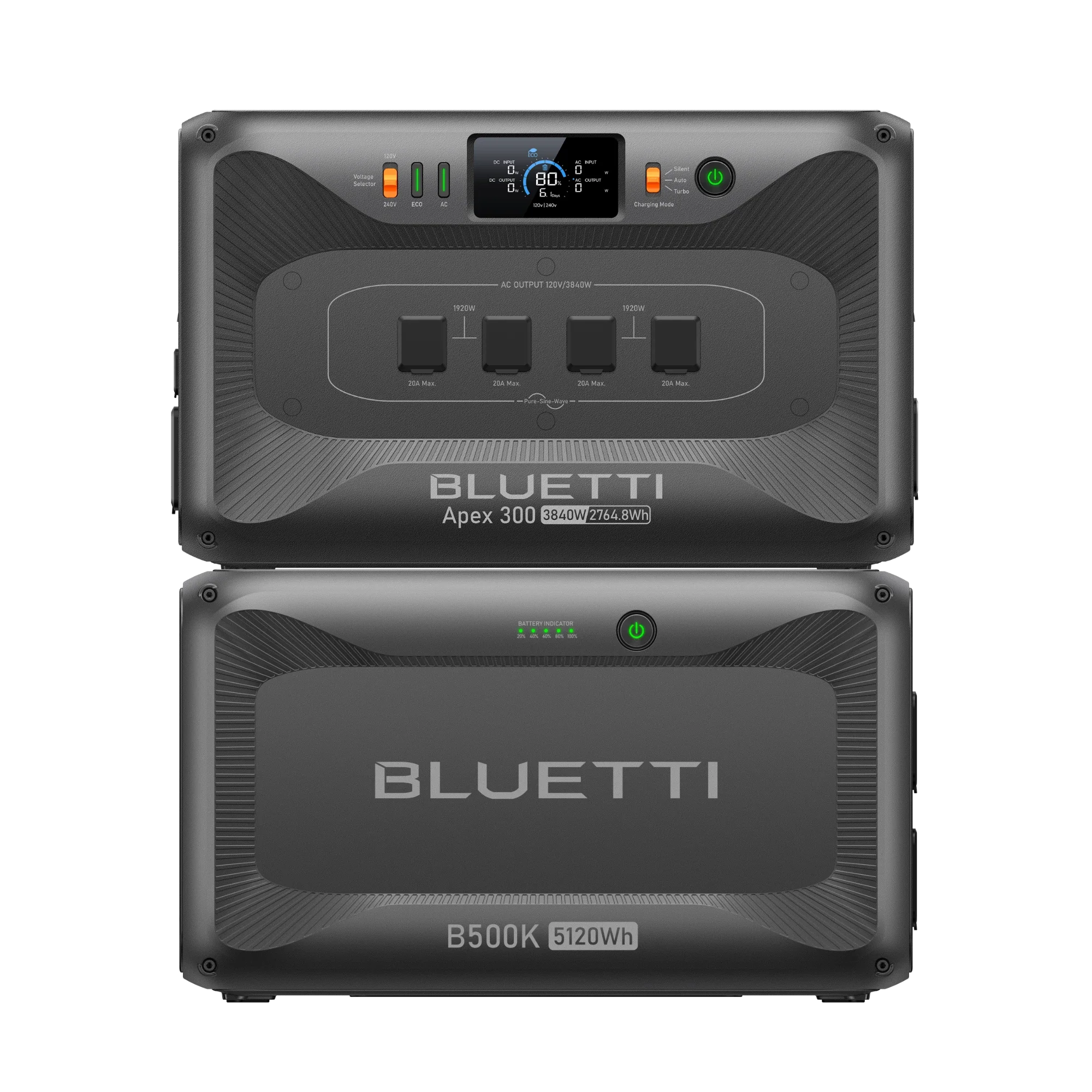
BLUETTI Apex 300 + B500KPick
$3,299.00
$3,299.00 · direct from BLUETTI
Last checked 16 days ago. Prices move — check before you buy.

Jackery Explorer 500
Left Jackery's store
Prices may vary by retailer and are subject to change.