Head-to-head test
BLUETTI AC50B vs Jackery Explorer 1000 v2
Real-world runtimes, scenario verdicts, and ownership costs compared — which wins for your use case.
Full profiles: BLUETTI AC50B → · Jackery Explorer 1000 v2 →

Written by Ian SchneiderUpdated
Solar & Off-Grid Tester, Station Arena Test Desk
Spec deltas
The BLUETTI AC50B (448Wh) and Jackery Explorer 1000 v2 (1,070Wh) sit in different weight classes. The real question: do your power needs justify the larger unit, or would you be overpaying for capacity that sits unused? The Explorer 1000 v2 has a slight edge, but the margin is close enough that your use case should break the tie.
What the spec gap means in practice: the Explorer 1000 v2's 1,500W inverter has the headroom for a window AC, a full-size fridge, and power tools. The AC50B's 700W inverter can't run the heaviest of those — a window AC or a high-surge power tool needs more than it can hold, and it publishes no surge headroom above that rating. On stamina, the Explorer 1000 v2 keeps a fridge alive for roughly 6 hours vs the AC50B's 3 hours.
Pick the Explorer 1000 v2 if your primary use is remote workday or tailgate party. Go with the AC50B if its specific strengths below line up better with your use. Most buyers stop at the sticker price and miss this: over a full lifespan the Explorer 1000 v2 works out to about $0.13/kWh against the AC50B's $0.30, a gap that compounds in the Explorer 1000 v2's favor the more you cycle it. Keep scrolling for the full breakdown. The scenario verdicts below hold a few surprises.
Bench Notes
What each unit does well, where it falls short, and the trade-offs that matter.
BLUETTI AC50B
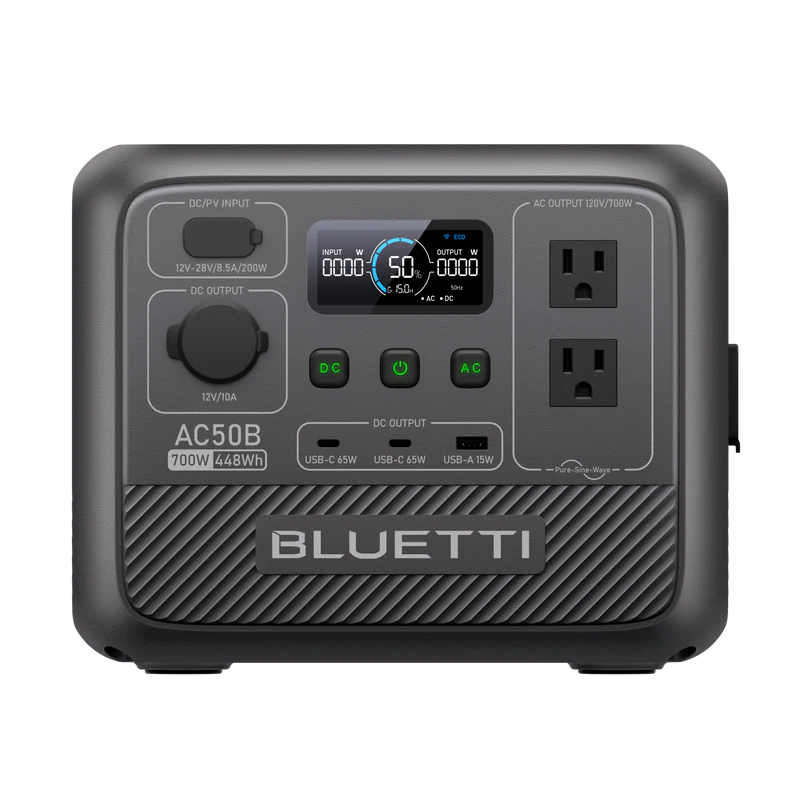
At 700W, this unit is strictly for personal electronics (phones, laptops) and small CPAP machines. Do not expect to run kitchen appliances. At only 14.8 lbs, it is exceptionally portable. You can easily carry it one-handed to a campsite or tailgating party.
Strengths
- +Costs $150 less
- +Lighter by 9 lb
Trade-offs
- –Weaker inverter (-800W) limits appliance compatibility.
- –Shorter-lived battery — rated for 3,000 charge cycles vs the Explorer 1000 v2's 4,000, so it wears out sooner.
Jackery Explorer 1000 v2
The 1,500W inverter handles most daily devices like laptops, blenders, and TVs, but will struggle with heating elements that require over 1500W. At only 23.8 lbs, it is exceptionally portable. You can easily carry it one-handed to a campsite or tailgating party. A standout feature is the value proposition: at roughly $0.51 per watt-hour, it's one of the most cost-effective options on the market.
Strengths
- +Larger battery capacity
- +Higher AC output
- +Faster solar charging
- +Rated for 4,000 charge cycles — much longer battery lifespan
Trade-offs
- –Substantially more expensive (+$150) than the AC50B.
Will It Power Your Gear?
Scenario math and per-appliance runtimes, modeled from the spec record.
Scenario verdicts
We ran the math on six real-world scenarios. Here's which unit survives your actual life.
SCN-01 · 2 nights · needs 2,100Wh
Weekend Camping
Two nights off-grid with essential comfort
Neither unit
Neither unit covers this scenario's 2,100Wh: the AC50B comes up 1,719Wh short (about 18% covered), the Explorer 1000 v2 1,191Wh (43%). This is well outside what either unit is for; the right answer here is a larger station, not a choice between these two.
Battery budget usedlower = more headroom
LOAD Phone Charger 15W×6h · LED Lights 40W×8h · Box Fan 75W×14h · CPAP Machine 40W×16h
SCN-02 · 8 hours · needs 1,645Wh
8-Hour Blackout
Keep the essentials running through a night without power
Neither unit
Neither unit covers this scenario's 1,645Wh: the AC50B comes up 1,264Wh short (about 23% covered), the Explorer 1000 v2 736Wh (55%). This is well outside what either unit is for; the right answer here is a larger station, not a choice between these two.
Battery budget usedlower = more headroom
LOAD Fridge 150W×8h · Router + Modem 20W×8h · LED Lights (4 bulbs) 40W×6h · Phone Charger 15W×3h
SCN-03 · 8 hours · needs 320Wh
CPAP Overnight
Sleep therapy without interruption — the #1 medical use case
Either unit
A CPAP is about 40W for eight hours, so both cover the night, though not twice: the AC50B gets through it with 61Wh to spare. The only published difference is fan noise, and it can't settle this: the Explorer 1000 v2 is rated 30dB and the AC50B 45dB, but they are two makers' figures, each measured its own way. Neither settles which box is quieter at a bedside. Buy whichever is cheaper or easier to carry.
Battery budget usedlower = more headroom
LOAD CPAP Machine 40W×8h
SCN-04 · 8 hours · needs 910Wh
Remote Workday
Full work day off-grid without power anxiety
Explorer 1000 v2
The AC50B doesn't finish — 381Wh usable against the 910Wh this needs leaves it 529Wh short, about 42% of the scenario covered. The Explorer 1000 v2 covers it with nothing behind it — the day fits, and anything unplanned does not.
Battery budget usedlower = more headroom
LOAD Laptop 60W×8h · External Monitor 30W×8h · Router + Modem 20W×8h · Phone Charger 15W×2h
SCN-05 · 4 hours · needs 670Wh
Tailgate Party
Game day power for the crew
Explorer 1000 v2
The AC50B doesn't finish — 381Wh usable against the 670Wh this needs leaves it 289Wh short, about 57% of the scenario covered. The Explorer 1000 v2 covers it with 240Wh to spare.
Battery budget usedlower = more headroom
LOAD Blender 400W×0.5h · LED TV (55") 80W×4h · Bluetooth Speaker 15W×4h · Phone Charger (×3) 45W×2h
SCN-06 · 24 hours · needs 4,685Wh
Van Life Daily
A full day of mobile living — the ultimate endurance test
Neither unit
Neither unit covers this scenario's 4,685Wh: the AC50B comes up 4,304Wh short (about 8% covered), the Explorer 1000 v2 3,776Wh (19%). This is well outside what either unit is for; the right answer here is a larger station, not a choice between these two.
Battery budget usedlower = more headroom
LOAD Mini-Fridge 150W×24h · Laptop 60W×4h · Phone Charger 15W×3h · LED Lights 40W×5h · Fan 75W×8h
The Load Test
RUNTIME = (Wh × 0.85) ÷ LOAD
None of the scenarios above exactly yours? Build it. Toggle what you'd plug in; both units are tested against the combined draw.
Essentials
Comfort & Convenience
High-Draw Appliances
Test duration
8h
Continuous draw
205W
Projected runtime
For this load: Explorer 1000 v2 runs 4.4h vs 1.9h.
$549 list · direct from Jackery
Planning for more than this? Describe your whole setup and get it sized →
Modeled from the spec record — same math as the tables below. Methodology
Runtime by appliance
Real-world runtime estimates for common appliances, modeled at 85% inverter efficiency.¹
Essentials
The basics you need runningscale 0–60.6hComfort & Convenience
Makes off-grid life actually enjoyablescale 0–12.1hHigh-Draw Appliances
These reveal the real limitsscale 0–0.9h¹ Runtime = (capacity × 0.85) ÷ appliance watts. Within each group, all bars share one time scale (the group's longest runtime), so lengths are comparable across appliances; identical runtimes collapse into a single blue/orange bar. Actual runtime varies with battery age, temperature, and simultaneous loads — see methodology.
Conclusion
July 10, 2026
Verdict: the Explorer 1000 v2, on Power Score margin
These two units are closely matched on individual specs, but our Power Score analysis gives the Explorer 1000 v2 the edge with a composite score of 2,871 vs 1,718.
Overall score margin: 1,718 vs 2,871 (−67.1%)
List prices as of July 10, 2026. The links below open BLUETTI's and Jackery's current prices.
$589.00 · direct from Jackery
Last checked 2 hours ago. Prices move — check before you buy.
or check the AC50B price$399.00 list
Written by Ian Schneider, Solar & Off-Grid Tester · Station Arena Test Desk · Updated July 10, 2026
Black Friday · 25 days out
Prices to beat:AC50B $279Explorer 1000 v2 $489
The lowest we have recorded for each. A Black Friday price above it is a sale that unit has already had.
Measured Data
Benchmark scores and the full spec record, side by side.
Benchmark scores
Not rated for both units (minimum threshold unmet): Home Backup.
Full specifications
ᵈ Derived: price ÷ rated capacity. See the data behind our comparisons →
Comparison ToolAdd more power stations, side by sideOpen Tool →How these numbers are produced
Numeric verification
Every figure on this page traces to our spec database or arithmetic on it — no estimated numbers.
Owner claims
Statements about owner experience are cited to published reviews.
Runtime model
Runtime = (rated capacity × 0.85 inverter efficiency) ÷ device wattage. Solar recharge estimates assume panels deliver 70% of rated output. Cold weather, battery age, and stacked loads reduce real-world results.
Power Score
Computed from 14 published spec dimensions, weighted per use-case bench. Higher is better; a unit must meet a bench's minimum threshold to be rated.
See the full weight table and data sourcing on our methodology page →Class ranking (the star rating)
Each unit's star score is a category ranking, not customer reviews — no buyer opinions feed it. We score every station on size-independent quality (value, output, portability, endurance, ports, warranty, and more), then percentile-rank it against the other units in its capacity class, so a class-leading compact unit and a class-leading whole-home unit can both earn 5★. Here, AC50B rates 4.6/5 (79th percentile of 25 Personal-class units), and Explorer 1000 v2 rates 3.7/5 (23rd percentile of 27 Everyday-class units).
How the class ranking is computed →Test Notes & Caveats
Hidden gotchas and advantages we spotted that you won't find on the product page.
AC50B: 45dB Published
45dB is about as loud as a running refrigerator. The Explorer 1000 v2 is rated 30dB — lower, but published by a different maker measuring its own way, so the two figures are not a like-for-like gap. For most people, fan noise around 45dB and up is where sleep starts to suffer.
AC50B: Power Lifting to 1,000W
The AC50B has BLUETTI's Power Lifting mode, which runs a resistive appliance rated up to 1,000W from its 700W inverter. It does that by delivering less power than the appliance asks for, not more than the inverter has: the heater still works, it just heats more slowly. Two things follow. BLUETTI scopes the mode to purely resistive loads — a heater, a kettle, an incandescent lamp — so it does nothing for a fridge compressor, a pump or a power tool, and this record publishes no surge figure at all, so read the mode as a resistive-load feature rather than as starting ability. And it is not a reason to size down, because running a load that big from 448Wh is a short session either way. Genuinely useful if a heater or a kettle is why you're buying; beside the point otherwise. The Explorer 1000 v2 publishes no equivalent.
Warranty: No Difference
Both units carry the same 5-year warranty, so coverage isn't a tiebreaker here. Both figures are maximums rather than guarantees: BLUETTI's depends on buying direct from BLUETTI or registering the unit, since reseller purchases carry a shorter term; Jackery's on registering the unit with Jackery, which is what extends the base term to the full period. Worth saying because the per-dollar framing can suggest otherwise: the AC50B works out at 12.5 years of cover per $1,000 spent against the Explorer 1000 v2's 9.1, but that spread is the price gap, not the terms.
Battery Lifespan in Real Years
The Explorer 1000 v2 is rated for 4,000 cycles vs 3,000. In real life: at daily use, that's 11 vs 8.2 years. At weekend use (twice a week), it's 38 vs 29 years. One caution reading years across different sizes: a cycle is 1,070Wh on the Explorer 1000 v2 and 448Wh on the AC50B, so count lifetime energy — roughly 4,280 kWh against 1,344 kWh over the rated life. After hitting the cycle limit, the battery doesn't die — it drops to ~80% of original capacity, which is still very usable.
Full record above — the Test Desk pick is the Explorer 1000 v2.
Check Explorer 1000 v2 price →or check the AC50B priceOwnership Analysis
What happens after you buy — true cost of ownership, brand trust, and growth potential.
Lifetime value
Service lifeyears at one full cycle per day
Lifetime energy delivered
Cost per delivered kWh
│ warranty ends · Reaching the cycle rating means ~80% capacity remains — degraded, not dead.
Analyst note
The AC50B is cheaper to buy, but the Explorer 1000 v2 is cheaper to own. At $0.13/kWh over its lifetime vs $0.30/kWh, the Explorer 1000 v2's higher cycle life and capacity make each dollar go further over the years.
Delivers each lifetime kWh for $0.17 less — check the Explorer 1000 v2 price →
Brand trust
BLUETTI
Ecosystem
One of the broadest lineups — 15-20+ models from budget (AC2A) to flagship portable (Apex 300, 2764.8Wh). Includes specialized products: vehicle solar hubs, sodium-ion cold-weather units, and balcony storage systems.
Support
The most inconsistent support in the space. Heavily email-based with China timezone delays. Some users get smooth, efficient service; others report weeks of troubleshooting runarounds, being offered discounts on new units instead of repairs, and confusing third-party purchase claim processes. Buying direct from Bluetti's website tends to produce better support outcomes.
Community
Active and growing — Reddit r/bluetti has a dedicated community. Second-largest after EcoFlow in engagement.
App experience
Rated 4.5/5 iOS and Android — tied for best app experience in the category. V3.0 UI redesign was well-received.
Unique strength
Among the best capacity-to-price ratios available — several Elite and Apex units are the lowest $/Wh in the catalog. Widest product diversity including industry-firsts like sodium-ion cold-weather units and dual solar+alternator vehicle hubs. LFP across the rest of the range, though rated cycle life spans 2,500 (EB3A) to 6,000, and it varies WITHIN the Elite range rather than tracking it — the Elite 300 and Elite 200 V2 are rated 6,000 while the Elite 30 V2, Elite 10 Mini, Elite 320 and Elite 400 are rated 3,000+ and the Elite 100 V2 4,000+, so check the specific model. Dual-voltage (120V/240V) in flagships.
Worth knowing
Customer support inconsistency is the #1 risk factor. Older/discontinued units may become unrepairable — no spare parts policy for some models. Some reports of erratic communication from support agents.
Jackery
Ecosystem
12-15+ models across Explorer (portable) and HomePower (home backup) series, plus SolarSaga panel ecosystem and innovative form factors
Support
US-based support but widely criticized. Reddit reports describe slow/dismissive responses, scripted AI agents, strict receipt requirements for warranty claims, and refurbished replacements for clearly defective units. Strongly recommended: buy from Costco or Amazon for return protection.
Community
Smallest community of the major brands — Reddit r/Jackery has ~2,000 members. YouTube presence is solid due to brand recognition.
App experience
Rated 2.3-3.3/5 iOS and Android — the weakest app experience of the major brands. Multiple confusing apps (Jackery app vs Jackery Home) and mandatory login even offline.
Unique strength
Highest brand recognition and widest retail distribution (Costco, Home Depot, Best Buy, Amazon). The "Toyota" of power stations — dependable, proven, wide availability. Innovative form factors like the Solar Gazebo and Solar Mars Bot.
Worth knowing
A couple of older models still ship NMC chemistry with a shorter rated lifespan, so check the cycle rating on the specific unit — though most of the current line has moved to LFP. Generally perceived as overpriced for the specs offered compared to newer competitors. App experience is significantly behind rivals.
Analyst note
Jackery positions itself as a mid brand with stronger support infrastructure, while BLUETTI competes on value. The question is whether the Jackery ecosystem and support premium is worth it for your use case.
Growth path
AC50B
FIXED CAPACITYFixed at 448Wh, with no expansion — so size it for your needs up front rather than planning to add capacity later.
Accepts up to 200W of solar. Limited to a single portable panel.
Limited ports. You'll likely need a power strip or splitter.
Explorer 1000 v2
FIXED CAPACITYFixed at 1,070Wh, with no expansion — so size it for your needs up front rather than planning to add capacity later.
Accepts up to 400W of solar. Suitable for a 1-2 panel setup.
Adequate ports for most setups, but heavy users may want a power strip.
Realistic full solar rechargeat 70% of rated panel output — see methodology
Analyst note
Neither expands, and that's no knock on either — each is a complete unit at a fixed size. Buy the capacity that covers your needs now (the Explorer 1000 v2 gives you the larger ceiling); you can't add to either later.
The Bottom Line
The full picture comes down to this. The Explorer 1000 v2 edges ahead on our overall analysis, but the margin is narrow enough that your specific use case should drive the decision. Review the scenario verdicts above — if the AC50B wins in the scenarios that match your life, it's the right choice regardless of aggregate scores.
If neither the AC50B nor the Explorer 1000 v2 feels like the right fit, your power needs probably sit outside what these two target. If you're planning whole-home backup or running power-hungry appliances (electric heaters, window AC), you'll want a larger system in the 3,000–5,000Wh range with expansion battery support. Prices on portable power stations fluctuate frequently. Both BLUETTI and Jackery discount regularly, so check the current price before committing. Prime Day and Black Friday pricing typically drops 20-30%.
Frequently Asked Questions
Answers drawn from the spec record and cited owner research.
Is the Explorer 1000 v2 worth $150 more than the AC50B?
The short answer: yes, if you'll actually use the extra capability. The Explorer 1000 v2 costs $150 more, but that premium buys you 622Wh more battery capacity (that's 4 extra hours of running a mini-fridge); 800W higher AC output (opening the door to more demanding appliances); a longer-lasting battery rated for 4,000 cycles — that's 11 years at daily use; 200W faster solar charging for quicker off-grid recovery. On a cost-per-watt-hour basis, you're paying $0.51/Wh vs $0.89/Wh. Factor in cycle life and the math flips: the Explorer 1000 v2 costs $0.13/kWh over its lifetime vs $0.30/kWh. The "expensive" unit is actually cheaper to own. For regular use, we'd pay the premium.
How does the 622Wh capacity difference actually affect daily use?
The Explorer 1000 v2's 1,070Wh battery keeps a mini-fridge running for roughly 6 hours vs the AC50B's 3 hours. What specs don't mention: runtime drops 20-30% in cold weather (below 32°F/0°C) as battery chemistry slows down. The Explorer 1000 v2's extra capacity provides a critical cold-weather buffer. For occasional phone and laptop charging, both are overkill. This gap only matters for sustained, multi-appliance use.
"4,000 vs 3,000 cycles" — what does that actually mean for me?
In real years: the Explorer 1000 v2 (4,000 cycles) lasts 11.0 years at daily use, 38 years at weekend use (twice a week), or 167 years at twice-monthly camping trips. The AC50B (3,000 cycles): 8.2 years daily, 29 years weekends, or 125 years twice-monthly. What most people miss: hitting the cycle limit doesn't kill your battery. Capacity drops to about 80%. Your 1,070Wh unit becomes a ~856Wh unit. Still very usable. For weekend users, both batteries will outlast the warranty by years.
Is BLUETTI or Jackery more reliable for long-term ownership?
Both brands have strengths and trade-offs. BLUETTI: 2-6 years depending on model (up to 10 years on home backup systems). Response times vary significantly. Some reports of units being deemed unrepairable with no parts available for older models. Jackery: 2-5 years depending on model (premium models like 5000 Plus get 5 years, budget models get 2 years). Registration required for extension. Claims process can be frustrating. One piece of advice from the power station community: regardless of brand, buy from Costco or Amazon. Their return policies provide a safety net that manufacturer warranties alone can't match, especially for a product you'll rely on in emergencies. Both brands use LFP (lithium iron phosphate) batteries in their current lineup, the most proven chemistry for longevity and safety.
Bottom line: should I buy the AC50B or the Explorer 1000 v2?
We'd pay the premium for the Explorer 1000 v2. Yes, it costs more. The capability jump is real: you're stepping into a tier that handles appliances the base model can't start. The AC50B is still solid if budget is the priority, but the Explorer 1000 v2 will leave you less likely to wish you'd "gone bigger" six months from now. That regret costs more than the price difference.
Brand matchup
BLUETTI vs Jackery: measured across every matchup →Where to buy
BLUETTI AC50B
$399.00
$399.00 · direct from BLUETTI
Last checked 2 hours ago. Prices move — check before you buy.

Jackery Explorer 1000 v2Pick
$589.00
$589.00 · direct from Jackery
Last checked 2 hours ago. Prices move — check before you buy.
Prices may vary by retailer and are subject to change.