Head-to-head test
EcoFlow RIVER 2 Pro vs Jackery Explorer 300
The Explorer 300 is rated for 2.2 years of daily cycling and warrantied for 2, so its battery and its coverage run out together; the RIVER 2 Pro is rated for 8.2 years and covered for 5.
Full profiles: EcoFlow RIVER 2 Pro → · Jackery Explorer 300 →

Written by Wenny ZhengUpdated
Portable Power Tester, Station Arena Test Desk
Spec deltas
Take the RIVER 2 Pro. $349 buys 768Wh rated for 3,000 cycles; $289 buys 293Wh rated for 800. Run those out and the Explorer 300 costs $1.19 per lifetime kilowatt-hour against the RIVER 2 Pro's $0.15, which is nearly eight times as much for every unit of energy it will ever hand you.
The Explorer 300 wins two things and both are real. It weighs 7.1 lb against 17.2 lb, and it's rated at 36dB against 62dB under load. If the unit has to go on your back, or sleep two feet from your head, those two facts outrank the rest of the page. If it's going in a trunk, they don't register.
Before either: five of the six scenarios on this page come back "neither". A camping weekend, an eight-hour blackout, a remote workday, a tailgate, a day of van life. Neither box covers any of them, and the RIVER 2 Pro's misses alone run from 17Wh to 4,032Wh. The only scenario either unit finishes is the CPAP night. Read the shortfalls before you read the verdict, because for a lot of people the right answer is a bigger unit than both of these.
What the Numbers Reveal
Each conclusion stated first — the numbers behind it on one line, the full analysis below.
rated cycles
Divide those lifetimes back into the prices and it settles at $1.19 per lifetime kilowatt-hour for the Explorer 300 against $0.15 for the RIVER 2 Pro. The cheaper sticker is attached to the more expensive battery, and the timing rubs it in: at daily cycling the Explorer 300 is rated out at 2.2 years and covered for 2, so the warranty and the cells finish more or less together.
RIVER 2 Pro: 768Wh per cycle, 3,000 cycles, 2,304 kWh of rated lifetime energyExplorer 300: 293Wh per cycle, 800 cycles, 234 kWh of rated lifetime energy$349 against $289
Why it mattersIf you expect to still own this thing in three years, the purchase price is the least informative number on the page.
weight
The third figure decides which of those two situations you're actually in. Neither unit covers a camping weekend's 2,100Wh, at about 31% and 12% respectively, so you are not shopping for a camping battery here. You're shopping for a top-up battery, and the whole question collapses to whether the top-up battery rides in your vehicle or on your back.
Explorer 300: 7.1 lb, 293WhRIVER 2 Pro: 17.2 lb, 768WhWeekend Camping is scored at 2,100Wh; the RIVER 2 Pro covers about 31% of it, the Explorer 300 about 12%
Why it mattersCar, closet, or camp table: take the RIVER 2 Pro. Carried on your body for miles: the Explorer 300 is the only one of the two that's plausible.
EcoFlow's own product literature attaches that 62dB figure to charging and discharging at high wattageA2 rather than to a small overnight draw, and one owner cared enough about the fan to cut away internal plastic and fit a quieter oneA1. One manufacturer footnote and one modder is a direction, not a promise of a silent night. So take the unit that reaches morning and treat placement as part of the purchase.
CPAP Overnight is scored at 320Wh; the Explorer 300 has 249Wh usable and falls 71Wh shortThe RIVER 2 Pro covers the same night with 333Wh of usable capacity spareNoise ratings: Explorer 300 at 36dB, RIVER 2 Pro at 62dB under load
Why it mattersCPAP buyers should buy the RIVER 2 Pro and put it across the room, not skip it for a quieter unit that doesn't finish the night.
The specific dimensions that decide these two units — everything else is a tie.
Lifetime Value
Selected because: The cycle ratings are 3,000 and 800, so cost per lifetime kilowatt-hour genuinely reorders these two rather than restating their prices.
cost / lifetime kWh
Two hundred and thirty-four kilowatt-hours is the entire working life of the Explorer 300: 293Wh a cycle, 800 cycles, and then it settles to about 80% of what it started with. The RIVER 2 Pro's 768Wh across 3,000 cycles comes to 2,304 kilowatt-hours. You aren't choosing between a $289 box and a $349 one. You're choosing between two batteries that differ by an order of magnitude in how much electricity they will ever hand you.
This table can actually decide something here, which isn't always true. When two units carry the same cycle rating, cost per lifetime kilowatt-hour is just their price-per-watt-hour scaled by an identical divisor and it can never reorder them. These two are rated 3,000 and 800. The cheaper sticker and the cheaper battery are different units.
Your Life, Your Pick
Selected because: Five of the six scenarios come back "neither", which makes the capacity you'd actually need more useful than the winner column.
Five of the six scenarios come back "neither", and that is the most useful thing this page will tell most of the people reading it. The one exception is the CPAP night, which the RIVER 2 Pro finishes with 333Wh of usable capacity still in hand. The camping weekend, the blackout, the workday, the tailgate and the van are loads neither box was sized for, and the notes on each one give you the watt-hours you'd actually need instead.
One thing to know about how these are scored: Weekend Camping and Tailgate Party reward the lighter unit as though you'd carried it in yourself, and there's no category here for a station that gets wired in and stays put. On this pair it changes nothing, since both are units you pick up with one hand. It's worth knowing before you read a weight advantage anywhere as a scenario win.
Portability & Form Factor
Selected because: 7.1 lb against 17.2 lb is the Explorer 300's only structural advantage, and for some buyers it outranks everything else here.
weight
Ten pounds is the Jackery's whole argument and it is not a small one. 7.1 lb against 17.2 lb is the difference between a unit that clips to a pack and a unit you carry to the car once and then stop carrying. If the box has to move on your body, this comparison is already over and the capacity column doesn't get a vote.
For everyone else the weight is a non-event, and the extra mass is well spent: 17.2 lb carries 768Wh where 7.1 lb carries 293Wh, so the heavier unit gets more watt-hours out of every pound, not fewer. Add 36dB against 62dB and the Explorer 300 holds two genuine cards. Two cards, and neither of them is capacity, output, surge, cycle life, warranty or solar input.
What the Specs Don't Tell You
Selected because: Six cards fire on this pair and the only one favouring the Explorer 300 is the 36dB-against-62dB noise gap.
rated cycles
Six cards fire here and five of them point the same way, which is its own kind of information. Surge headroom, UPS, warranty, cycle life and app control all favour the RIVER 2 Pro. Only noise goes the other way, and it's the one most likely to change somebody's mind.
The surge card is worth taking literally rather than generally. 1,600W of headroom on an 800W continuous rating is real inverter margin, but it sits on top of 768Wh. That's enough to start a motor, not enough to run one for long. Surge tells you what the unit can begin. Capacity tells you how the evening ends.
Brand Trust
Selected because: Five years of warranty against two, and EcoFlow offers no parts or service once that window closes.
Warranty is where this column earns its place on a pair priced at $349 and $289: five years against two. The five years is also the entire support horizon on the EcoFlow side, since the company offers no parts or service out of warranty. Read those years as the whole of it rather than a bonus on top of something else.
Community size matters more than it sounds for a box you'll own for years. EcoFlow's subreddit runs around 31,000 members against Jackery's roughly 2,000. When something behaves oddly three years in, that's the difference between finding a thread and starting one.
Strengths & trade-offs
EcoFlow RIVER 2 Pro
Strengths
- +Larger battery capacity
- +Higher AC output
- +Longer warranty
- +Faster solar charging
- +Rated for 3,000 charge cycles — much longer battery lifespan
Trade-offs
- –Significantly heavier (+10.1 lbs), making it harder to move.
- –Can receive complaints about fan noise under heavy load.
Jackery Explorer 300
Strengths
- +Costs $60 less
- +Lighter by 10.1 lb
Trade-offs
- –Lacks smartphone app control for remote monitoring.
- –Shorter-lived battery — rated for 800 charge cycles vs the RIVER 2 Pro's 3,000, so it wears out sooner.
Will It Power Your Gear?
Scenario math and per-appliance runtimes, modeled from the spec record.
Scenario verdicts
We ran the math on seven real-world scenarios. Here's which unit survives your actual life.
SCN-01 · 2 nights · needs 2,100Wh
Weekend Camping
Two nights off-grid with essential comfort
Neither unit
Neither, and not narrowly. A camping weekend is scored at 2,100Wh; the RIVER 2 Pro brings 653Wh of usable capacity to it and comes up 1,447Wh short, while the Explorer 300 is 1,851Wh short. That is not a gap you close by rationing. Run 2,100Wh back through the flat 0.85 usable factor this page applies and you want roughly a 2,470Wh unit, which is a different shelf in the store entirely.
Battery budget usedlower = more headroom
LOAD Phone Charger 15W×6h · LED Lights 40W×8h · Box Fan 75W×14h · CPAP Machine 40W×16h
SCN-02 · 8 hours · needs 1,645Wh
8-Hour Blackout
Keep the essentials running through a night without power
Neither unit
Neither. Eight hours of the scored blackout load wants 1,645Wh: the RIVER 2 Pro stops 992Wh short and the Explorer 300 stops 1,396Wh short. Through the same flat 0.85 usable factor, 1,645Wh means shopping around 1,935Wh of nameplate capacity. What these two actually do in an outage is keep phones, a router and a laptop going for a stretch. That's worth having. It isn't the same as riding out the outage.
Battery budget usedlower = more headroom
LOAD Fridge 150W×8h · Router + Modem 20W×8h · LED Lights (4 bulbs) 40W×6h · Phone Charger 15W×3h
SCN-03 · 8 hours · needs 320Wh
CPAP Overnight
Sleep therapy without interruption — the #1 medical use case
RIVER 2 Pro
The RIVER 2 Pro takes this one, and it's the only scenario on the page either unit finishes. The night is scored at 320Wh: the RIVER 2 Pro covers it with 333Wh of usable capacity still in reserve, and the Explorer 300 lands 71Wh short, which is close enough to sting and still a fail. One honest caveat on the winner. It's the louder unit at 62dB under load and it's going to spend the night a few feet from your head, so plan where it sits before you plug anything in.
Battery budget usedlower = more headroom
LOAD CPAP Machine 40W×8h
SCN-04 · 8 hours · needs 910Wh
Remote Workday
Full work day off-grid without power anxiety
Neither unit
Neither, but this is the scenario where the distinction actually matters. The scored workday is 910Wh: the RIVER 2 Pro covers about 72% of it and stops 257Wh short, while the Explorer 300 covers about 27% and stops 661Wh short. Partial cover is a real thing here, and the RIVER 2 Pro will carry a laptop and the desk gear a long way into the day before it needs sun or a wall. If you want the whole day untethered, 910Wh through the flat 0.85 usable factor puts you at about 1,070Wh of nameplate.
Battery budget usedlower = more headroom
LOAD Laptop 60W×8h · External Monitor 30W×8h · Router + Modem 20W×8h · Phone Charger 15W×2h
SCN-05 · 4 hours · needs 670Wh
Tailgate Party
Game day power for the crew
Neither unit
Neither, and the RIVER 2 Pro misses it by 17Wh. That's the whole EcoFlow story on this row: 653Wh of usable capacity against 670Wh needed, a rounding error that still counts as a failure. The Explorer 300's problem is a different shape. The scenario wants a 400W peak, which sits above its 300W continuous rating but below its 500W surge ceiling, so the accurate description is that it starts the load and then can't hold it, and it's 421Wh short of the energy regardless. Working 670Wh back through the flat 0.85 usable factor puts the right unit near 790Wh, so the RIVER 2 Pro's 768Wh is one small step below the size you want.
Battery budget usedlower = more headroom
LOAD Blender 400W×0.5h · LED TV (55") 80W×4h · Bluetooth Speaker 15W×4h · Phone Charger (×3) 45W×2h
SCN-06 · 24 hours · needs 4,685Wh
Van Life Daily
A full day of mobile living — the ultimate endurance test
Neither unit
Neither, by a margin that makes the comparison pointless. Van life is scored at 4,685Wh a day; the RIVER 2 Pro covers about 14% of that and the Explorer 300 about 5%. Through the flat 0.85 usable factor, 4,685Wh points at a system near 5,510Wh, which is a house battery and a charging strategy rather than a box you set on the bed. If this is your use case, neither of these is a starting point. It's an accessory to the thing you actually need to buy.
Battery budget usedlower = more headroom
LOAD Mini-Fridge 150W×24h · Laptop 60W×4h · Phone Charger 15W×3h · LED Lights 40W×5h · Fan 75W×8h
SCN-07 · an afternoon · needs 100Wh
Afternoon Off-Grid
Phones and a speaker at the park, beach, or campsite — the small-unit job description
Either unit
This row is here for the Explorer 300's class of job: phones and a speaker, 100Wh across an afternoon. Both cover it — the Explorer 300 finishes at 40% used, and the RIVER 2 Pro barely notices it. For this job the RIVER 2 Pro's extra capacity is dead weight, not headroom; at 7.1 lbs the Explorer 300 is the one you'll be glad you brought.
Battery budget usedlower = more headroom
LOAD Phone Charger (×2) 30W×2h · Bluetooth Speaker 10W×4h
The Load Test
RUNTIME = (Wh × 0.85) ÷ LOAD
None of the scenarios above exactly yours? Build it. Toggle what you'd plug in; both units are tested against the combined draw.
Essentials
Comfort & Convenience
High-Draw Appliances
Test duration
8h
Continuous draw
205W
Projected runtime
For this load: RIVER 2 Pro runs 3.2h vs 1.2h.
$349 list · direct from EcoFlow
Planning for more than this? Describe your whole setup and get it sized →
Modeled from the spec record — same math as the tables below. Methodology
Runtime by appliance
Real-world runtime estimates for common appliances, modeled at 85% inverter efficiency.¹
Essentials
The basics you need runningscale 0–43.5hComfort & Convenience
Makes off-grid life actually enjoyablescale 0–8.7hHigh-Draw Appliances
These reveal the real limits¹ Runtime = (capacity × 0.85) ÷ appliance watts. Within each group, all bars share one time scale (the group's longest runtime), so lengths are comparable across appliances; identical runtimes collapse into a single blue/orange bar. Actual runtime varies with battery age, temperature, and simultaneous loads — see methodology.
Conclusion
August 9, 2026
Verdict: the RIVER 2 Pro, on Power Score margin
Take the RIVER 2 Pro. $349 against $289 is seventy dollars, and it buys 768Wh instead of 293Wh, 800W continuous instead of 300W, 3,000 cycles instead of 800, and five years of warranty instead of two. It's also the only one of the pair that finishes the scored CPAP night, with 333Wh of usable capacity still in hand while the Explorer 300 lands 71Wh short. The Jackery wins two things: 7.1 lb against 17.2 lb, and 36dB against 62dB under load. Buy it only if the unit has to travel on your body or sleep beside your head. Otherwise the lighter box is the expensive one.
Editor-assigned confidence, based on cited owner research and spec analysis.
List prices as of August 9, 2026. The links below open EcoFlow's and Jackery's current prices.
$389.00 · direct from EcoFlow
Last checked 28 days ago. Prices move — check before you buy.
or check the Explorer 300 price$289.00 list
Written by Wenny Zheng, Portable Power Tester · Station Arena Test Desk · Updated August 9, 2026
Black Friday · 26 days out
Prices to beat:RIVER 2 Pro $349Explorer 300 $189
The lowest we have recorded for each. We have never seen the RIVER 2 Pro discounted, so any real cut on it would be a first.
Measured Data
Benchmark scores and the full spec record, side by side.
Benchmark scores
Not rated for both units (minimum threshold unmet): CPAP, Solar Generator.
Full specifications
ᵈ Derived: price ÷ rated capacity. See the data behind our comparisons →
Comparison ToolAdd more power stations, side by sideOpen Tool →How these numbers are produced
Numeric verification
Every figure on this page traces to our spec database or arithmetic on it — no estimated numbers.
Owner claims
Statements about owner experience are cited to published reviews — see Sources & Research Notes below.
Runtime model
Runtime = (rated capacity × 0.85 inverter efficiency) ÷ device wattage. Solar recharge estimates assume panels deliver 70% of rated output. Cold weather, battery age, and stacked loads reduce real-world results.
Power Score
Computed from 14 published spec dimensions, weighted per use-case bench. Higher is better; a unit must meet a bench's minimum threshold to be rated.
See the full weight table and data sourcing on our methodology page →Class ranking (the star rating)
Each unit's star score is a category ranking, not customer reviews — no buyer opinions feed it. We score every station on size-independent quality (value, output, portability, endurance, ports, warranty, and more), then percentile-rank it against the other units in its capacity class, so a class-leading compact unit and a class-leading whole-home unit can both earn 5★. Here, RIVER 2 Pro rates 4.7/5 (84th percentile of 20 Compact-class units), and Explorer 300 rates 3.7/5 (21st percentile of 25 Personal-class units).
How the class ranking is computed →Test Notes & Caveats
Hidden gotchas and advantages we spotted that you won't find on the product page.
62dB Against 36dB
The RIVER 2 Pro is rated at 62dB under load and the Explorer 300 at 36dB, a 26dB gap that is the most physical difference between these two units. If the box sleeps in the tent with you, that gap is the strongest argument the Jackery has. The catch is that the quiet one can't finish a CPAP night: 249Wh of usable capacity against the 320Wh the scenario needs. Quiet and sufficient are not the same box here.
The App Gap Is Smaller Than It Sounds
You do have to walk over to the Explorer 300 to see what it's doing. It weighs 7.1 lb, so walking over to it usually means reaching for it. The RIVER 2 Pro's app is a genuine feature and the Explorer 300 has none, but if the unit lives three feet away on a camp table, phone control is a convenience rather than a reason to spend more. Where it earns its keep is a unit parked in a basement or a vehicle through an outage. That's when a low-battery alert beats a flashlight.
Surge Power: Inverter Quality Indicator
The RIVER 2 Pro has a 2× surge-to-continuous ratio vs the Explorer 300's 1.7×, and the higher absolute ceiling with it — 1,600W against 500W. At 2× it clears the 2× rule of thumb for absorbing motor startups — fridges, AC compressors and power tools briefly draw 2-3× their rated wattage. What decides whether a given motor starts is the ceiling, not the ratio: the Explorer 300 still surges to 500W, so check the startup draw of the heaviest thing you plan to run against that figure rather than assuming it trips.
30 Milliseconds, Not Zero
The RIVER 2 Pro is rated to switch over in 30ms. That's a brief interruption, not a seamless handoff, and 30ms is a stated ceiling rather than something measured. A laptop has its own battery and won't notice. If you're protecting a desktop or a NAS and a 30ms blink is genuinely unacceptable, buy an online UPS and let the power station handle everything else. The Explorer 300 doesn't offer switchover at all, so whatever's plugged into it goes dark.
Warranty: 5 Years vs 2
The RIVER 2 Pro is covered for 5 years against the Explorer 300's 2 years. An underrated factor if you're keeping this unit for years.
The Years Figures Count Cycles, Not Energy
3,000 cycles against 800 is the real gap, but the 8.2-versus-2.2-years translation counts cycles and ignores how big a cycle is. A RIVER 2 Pro cycle is 768Wh and an Explorer 300 cycle is 293Wh, so if you're pulling the same energy from each per day, the Explorer 300 needs more than two cycles for every one of the RIVER 2 Pro's and burns through its 800 faster than 2.2 years implies. The years number flatters the smaller battery. Worth knowing in the other direction too: at the cycle limit neither battery dies, it settles to about 80% of its original capacity and keeps working.
Full record above — the Test Desk pick is the RIVER 2 Pro.
Check RIVER 2 Pro price →or check the Explorer 300 priceOwnership Analysis
What happens after you buy — true cost of ownership, brand trust, and growth potential.
Lifetime value
Service lifeyears at one full cycle per day
Lifetime energy delivered
Cost per delivered kWh
│ warranty ends · Reaching the cycle rating means ~80% capacity remains — degraded, not dead.
Analyst note
The Explorer 300 is cheaper to buy, but the RIVER 2 Pro is cheaper to own. At $0.15/kWh over its lifetime vs $1.23/kWh, the RIVER 2 Pro's higher cycle life and capacity make each dollar go further over the years.
Delivers each lifetime kWh for $1.08 less — check the RIVER 2 Pro price →
Brand trust
EcoFlow
Ecosystem
Largest in portable power — 12-15 models across DELTA Pro, DELTA 3, and RIVER 3 series, plus solar panels and smart home panels
Support
US-based phone/email/chat support (1-800-368-8604). Experiences are polarized — many report hassle-free prepaid-label replacements, but others report long waits and refurbished units sent for new claims. Pro tip: buying from Costco or Amazon gives you a stronger return safety net.
Community
Largest community in the space — Reddit r/Ecoflow_community (~31K members), multiple Facebook groups, and an official community forum
App experience
Rated 4.6/5 iOS (~8,400 ratings) · 4.2/5 Android (~17,000 ratings)
Unique strength
On a unit this size, EcoFlow's real edge is charging speed and the depth of the accessory line around it. The 180kWh modular expansion ceiling that turns up in EcoFlow's marketing belongs to the DELTA Pro Ultra X and has nothing to do with this page. The RIVER 2 Pro is a sealed 768Wh box that doesn't expand at all, which is fine, but don't buy it expecting a platform.
Worth knowing
The October 2025 DELTA Max 2000 recall sits on EcoFlow's record and is worth knowing about, though it's a different product line from the 768Wh unit here. The line that actually matters to a RIVER 2 Pro buyer is the other one: no parts or service offered out of warranty. That makes the five covered years the whole of the support story rather than the first chapter of it.
Jackery
Ecosystem
12-15+ models across Explorer (portable) and HomePower (home backup) series, plus SolarSaga panel ecosystem and innovative form factors
Support
US-based support but widely criticized. Reddit reports describe slow/dismissive responses, scripted AI agents, strict receipt requirements for warranty claims, and refurbished replacements for clearly defective units. Strongly recommended: buy from Costco or Amazon for return protection.
Community
Smallest community of the major brands — Reddit r/Jackery has ~2,000 members. YouTube presence is solid due to brand recognition.
App experience
Rated 2.3-3.3/5 iOS and Android — the weakest app experience of the major brands. Multiple confusing apps (Jackery app vs Jackery Home) and mandatory login even offline.
Unique strength
Highest brand recognition and widest retail distribution (Costco, Home Depot, Best Buy, Amazon). The "Toyota" of power stations — dependable, proven, wide availability. Innovative form factors like the Solar Gazebo and Solar Mars Bot.
Worth knowing
Check the cycle rating on the exact model you're buying. Jackery still sells older units on the shorter-lived chemistry alongside newer LFP ones, and the Explorer 300 priced here is the 800-cycle version. The name on the box is not enough to tell you which battery is inside it.
Analyst note
Both units are easy to buy and easy to return, so availability isn't where this decision lives. It lives in the warranty column: five years against two, on a $60 price gap between $349 and $289.
Growth path
RIVER 2 Pro
FIXED CAPACITYFixed at 768Wh, with no expansion — so size it for your needs up front rather than planning to add capacity later.
Accepts up to 220W of solar. Limited to a single portable panel.
Adequate ports for most setups, but heavy users may want a power strip.
Explorer 300
FIXED CAPACITYFixed at 293Wh, with no expansion — so size it for your needs up front rather than planning to add capacity later.
Accepts up to 100W of solar. Limited to a single portable panel.
Limited ports. You'll likely need a power strip or splitter.
Realistic full solar rechargeat 70% of rated panel output — see methodology
Analyst note
Neither expands, and that's no knock on either — each is a complete unit at a fixed size. Buy the capacity that covers your needs now (the RIVER 2 Pro gives you the larger ceiling); you can't add to either later.
What Owners Report
Patterns from published owner reports and long-term reviews — every claim cited to its source below.
EcoFlow RIVER 2 Pro
Field data on the RIVER 2 Pro specifically is thin, and what exists points at the fan. EcoFlow's own product literature puts the unit at up to 62dB when charging and discharging at high wattageA2, and one owner disliked it enough to perform a fan swap that involved cutting away internal plasticA1. That's one manufacturer footnote and one modification write-up. Enough to take seriously, not enough to call a consensus.
Two entries filed under this unit don't actually attest to it, and we'd rather say so than borrow them. One is a forum post title asking whether running the RIVER 2 Pro as a UPS shortens battery lifeA3, which is a question and not an answer. The other is a van dweller describing a ResMed DC-DC cable running an AirSense 11 overnight off solar and a battery bankA4. It's a good report about their setup. It tells you nothing about this box.
“Will using River 2 Pro as a UPS affect battery life ...”
Sources
ctrl-alt-rees.com
Jackery Explorer 300
The Explorer 300's owner record is small-load and cheerful, and it matches the spec sheet exactly. One owner ran phones, a speaker, a fan and an air mattress on a camping trip and called it easy, light and quietB3. That is a fair picture of what 293Wh does: several small things, not one big thing.
Another owner recharged multiple electronics daily and ran small-wattage devices for about two weeks before the charge got lowB4. Read that as the honest job description rather than an endurance claim. Spread across days at low draw, 293Wh goes a long way. Asked to cover a single evening's real load, it doesn't.
“288Wh capacity with 300W output on LiFePO4 chemistry rated for 3,000+ cycles — over a decade of daily use, a major upgrade from the older lithium-ion Explorer 300 (500 cycles).”
Sources
powerstationlab.com · batteryskills.com · voltagebasics.com · rv.com · bestbuy.com
Sources & Research Notes
Every owner claim in this report is traceable to a published source. The bracketed references above resolve here.
Recurring owner themes
- Fan noise at high wattage charging/discharging is a consistent owner and manufacturer-acknowledged complaint, severe enough that some owners physically mod the unit with quieter fans. [RIVER 2 Pro · 2 entries]
- Light weight, LFP 3,000-cycle longevity, quiet operation, and easy portability are the consistent praise for this small unit. [Explorer 300 · 3 entries]
- A1
“I've since performed the same mod on my RIVER 2 PRO and it works great for that unit, too - although it did involve cutting away some of the internal plastic.”
ctrl-alt-rees.com blog — 'EcoFlow RIVER 2 Noisy Fan Fix!' · 2022-11-17 · [negative]
- A2
“When charging and discharging at high wattage, RIVER 2 Max and RIVER 2 Pro may make a noise up to 62db.”
EcoFlow official product page — RIVER 2 Series specs/FAQ footnotes · unknown · [negative]
- A3
“Will using River 2 Pro as a UPS affect battery life ...”
Facebook — EcoFlow Club group post title · unknown · [mixed]
- A4
“I'm very new to CPAP (1 week) and I live in a van. I have solar and a decent battery bank and I've got the ResMed DC-DC cable which powers my AirSense 11 AutoSet overnight no problem.”
Apnea Board forum — '[Equipment] EcoFlow River 2 Pro' thread · 2025-07 · [mixed]
- B3
“One owner powered phones, a speaker, a fan, and an air mattress on a camping trip with no issues, calling it super easy to use, lightweight, and quiet.”
bestbuy.com owner reviews — Explorer 300 Plus · 2026 · [positive]
- B4
“Another owner recharged multiple electronics daily and ran small-wattage devices for about two weeks before reaching a low charge.”
bestbuy.com owner reviews — Explorer 300 Plus · 2026 · [positive]
Research compiled August 9, 2026.
What Owners Actually Report
Drawn from 43 comments on independent review channels — not from retailer reviews, which skew to the first week of ownership. Each line is our summary of one commenter's claim, linked to the original. We record what they said, including where it contradicts the spec sheet.
EcoFlow RIVER 2 Pro
32 claims from 21 comments · 27 from owners · 8 with figures
- Runtime
- 5 · 0% negative
- Size & weight
- 2 · 0% negative
- Solar input
- 2 · 0% negative
- Inverter & surge
- 3 · 23% negative
- App & firmware
- 3 · 0% negative
What owners complain about
Wildly fluctuating DC output on two separate units bought from different retailers.
Build qualityowner1 agreedsource →
Does tend to self-discharge, so he keeps it on the low 100W power setting.
Idle drainowner3 agreedsource →
Unit would not power on within a week of purchase despite a full charge.
Durabilityownersource →
What owners praise
Jackery Explorer 300
29 claims from 22 comments · 20 from owners · 6 with figures
- Runtime
- 9 · 36% negative
- Solar input
- 3 · 0% negative
- Price & value
- 5 · 94% negative
- Durability
- 3 · 8% negative
- Other
- 3 · 53% negative
What owners complain about
Plans to return the day-old Jackery 300 after seeing the EB3A review.
Price & valueowner8 agreedsource →
Metered 235Wh delivered against an advertised 288Wh, about 80% usable.
Runtimemeasuredowner1 agreedsource →
Returning the Jackery 300 bought to run a compressor fridge and ordered an EB3A.
Otherowner2 agreedsource →
What owners praise
Fully charges in 3 hours from a 100W panel in full sunshine.
Solar inputmeasuredowner43 agreedsource →
Has been great for about 3 years and performs better than the budget rival tested in the video.
Durabilitymeasuredownerafter 36 months6 agreedsource →
Enough to run a lamp and a few small items where there is no grid wiring.
Runtimeowner43 agreedsource →
Claims are weighted by how specific they are, whether the commenter owns the unit, and how many readers agreed. Comments that mention a product under a rival's review count for more, because the commenter had no reason to be there. This is what buyers report, not our test results — for measurements we ran ourselves, see the methodology.
Who Should Buy Which
Buy the RIVER 2 Pro if you…
- →You run a CPAP and want one box that reaches morning. The RIVER 2 Pro covers the scored 320Wh night with 333Wh of usable capacity still in reserve. Put it across the room rather than on the nightstand.
- →The unit is going to live in a car trunk, a closet, or on a camp table and nobody is carrying it far. 17.2 lb is a one-hand lift, and once weight stops mattering the 768Wh starts to.
- →You want it to still be good in five years. 3,000 cycles and a five-year warranty against 800 cycles and two years is the difference between a purchase and a subscription.
- →You're keeping a laptop, phones and a router alive through outages and would rather have a rated 30ms switchover on the wall side than nothing at all.
Buy the Explorer 300 if you…
- →The unit travels on your body. 7.1 lb against 17.2 lb is the reason this product exists, and nothing on the RIVER 2 Pro's side of the table beats it if you're the one carrying it.
- →It sleeps in the tent with you and the loads are genuinely small. 36dB against 62dB, and one owner's kit of phones, a speaker, a fan and an air mattress is exactly the right expectationB3.
- →You're topping up small electronics over days rather than cycling it hard. One owner ran small-wattage devices for about two weeks before the charge got lowB4, and the 800-cycle rating only bites if you're actually spending cycles.
- →You want it off a shelf this afternoon with a store return policy behind it. Jackery's retail distribution is wide enough that this is a real advantage.
If neither fits
Close this tab cheerfully if the job is a camping weekend, an eight-hour blackout, a remote workday off-grid, a tailgate or van life. Five of the six scenarios here come back "neither" and the shortfalls aren't the kind you plan around: the RIVER 2 Pro misses the camping weekend by 1,447Wh and the van day by 4,032Wh, and the Explorer 300 misses them by 1,851Wh and 4,436Wh. Run each load back through the flat 0.85 usable factor this page applies and the honest shopping targets are roughly 2,470Wh of nameplate for the camping weekend's 2,100Wh, about 1,935Wh for the blackout's 1,645Wh, and about 5,510Wh for van life's 4,685Wh a day. That's a different price bracket, and buying one of these two first mostly means buying twice. Skip both as well if you're protecting hardware that can't tolerate a 30ms switchover. That's an online UPS, not a power station.
The Bottom Line
Take the RIVER 2 Pro. $349 against $289 is the smallest gap on this page, and sitting behind it is 768Wh across 3,000 cycles against 293Wh across 800, which is the one difference you cannot correct after the box arrives. Weight and fan noise are the Explorer 300's two genuine cards, and they only beat that if the unit rides on your back or sleeps beside your head.
And if you came here shopping for a camping weekend, a blackout or a van, close the tab without regret. Five of the six scenarios come back "neither", and no amount of choosing carefully between these two fixes a shortfall that size. Buy the capacity that covers the job. If the job is small enough for either of these, buy the RIVER 2 Pro.
Frequently Asked Questions
Answers drawn from the spec record and cited owner research.
Is the Jackery Explorer 300 the same thing as the Explorer 300 Plus?
No, and the difference is the cycle rating. The Explorer 300 priced on this page is the 293Wh, 7.1 lb model rated for 800 cycles. The Explorer 300 Plus is a separate unit on LFP chemistry rated for 3,000+ cycles, which is a completely different longevity story. If you find a lifespan claim for "the Explorer 300" anywhere, check which of the two it was written about before you price it in.
Will the Explorer 300 run a CPAP all night?
No. The overnight CPAP load scored here comes to 320Wh, and the Explorer 300 has 249Wh usable once the flat 0.85 derate is applied, leaving it 71Wh short. The RIVER 2 Pro covers the same night with 333Wh still in reserve. If a CPAP is why you're shopping, that single comparison settles the page.
Is the RIVER 2 Pro worth the extra money over the Explorer 300?
Yes, and the arithmetic isn't close. $349 against $289 buys 768Wh instead of 293Wh, 800W continuous instead of 300W, 1,600W of surge instead of 500W, 3,000 cycles instead of 800, and five years of warranty instead of two. What the money costs you is the jump from 7.1 lb to 17.2 lb and from 36dB to 62dB. If neither of those two things is a dealbreaker, there is no case for the smaller unit.
Can either of these get me through a power outage?
Partly, and it's worth being precise about it. The eight-hour blackout scored here needs 1,645Wh; the RIVER 2 Pro is 992Wh short of that and the Explorer 300 is 1,396Wh short. Both will keep phones, a router and a laptop going for a stretch, which is genuinely useful. Neither covers the scored load, and if that's the job you want done you're shopping around 1,935Wh of nameplate capacity, which is 1,645Wh run back through the flat 0.85 usable factor this page applies.
Which one is quieter, and does it actually matter?
The Explorer 300, by a wide margin: 36dB against the RIVER 2 Pro's 62dB under load. It matters enormously if the unit sleeps where you sleep and not at all if it lives in a car or a closet. EcoFlow's own literature ties that 62dB figure to high-wattage charging and discharging, and one owner replaced the fan outright, so treat the RIVER 2 Pro as a unit you position deliberately rather than one you forget about.
Brand matchup
EcoFlow vs Jackery: measured across every matchup →Related comparisons
Where to buy
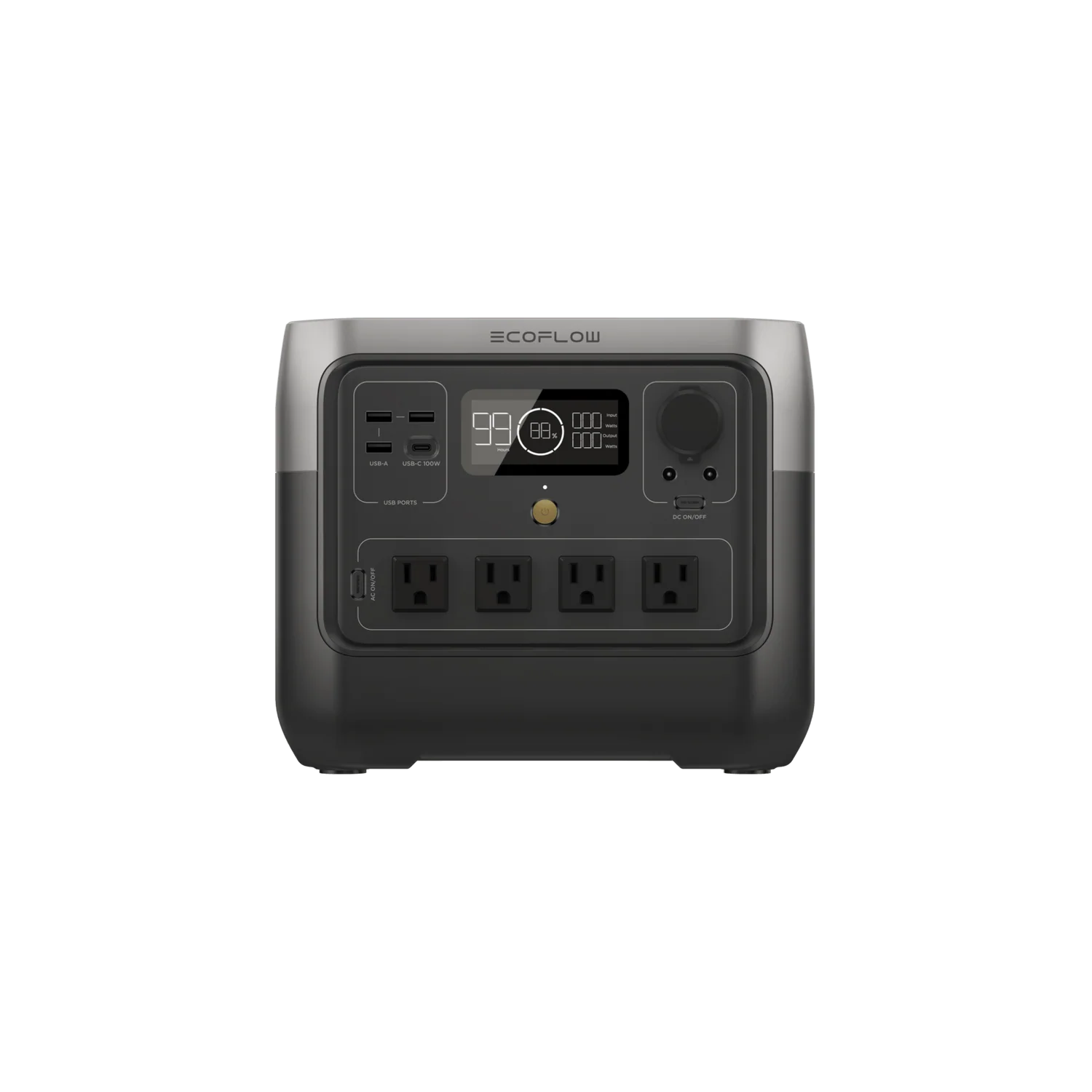
EcoFlow RIVER 2 ProPick
$389.00
$389.00 · direct from EcoFlow
Last checked 28 days ago. Prices move — check before you buy.

Jackery Explorer 300
$289.00
$289.00 · direct from Jackery
Last checked 28 days ago. Prices move — check before you buy.
Prices may vary by retailer and are subject to change.